

FEATURE CHAPTER / VENATION

Branching structure that remains steerable.

Generate vein systems from architectural patterns, then correct hierarchy, junctions, spacing, and individual paths in the viewport.

Back to Features

VirdraLeaf Venation application capture

FEATURE CHAPTER / VENATION

Branching structure that remains steerable.

Generate vein systems from architectural patterns, then correct hierarchy, junctions, spacing, and individual paths in the viewport.

Back to Features

VirdraLeaf Venation application capture
VirdraLeaf Venation controls

WHAT THIS CHAPTER CONTROLS

Venation

Venation

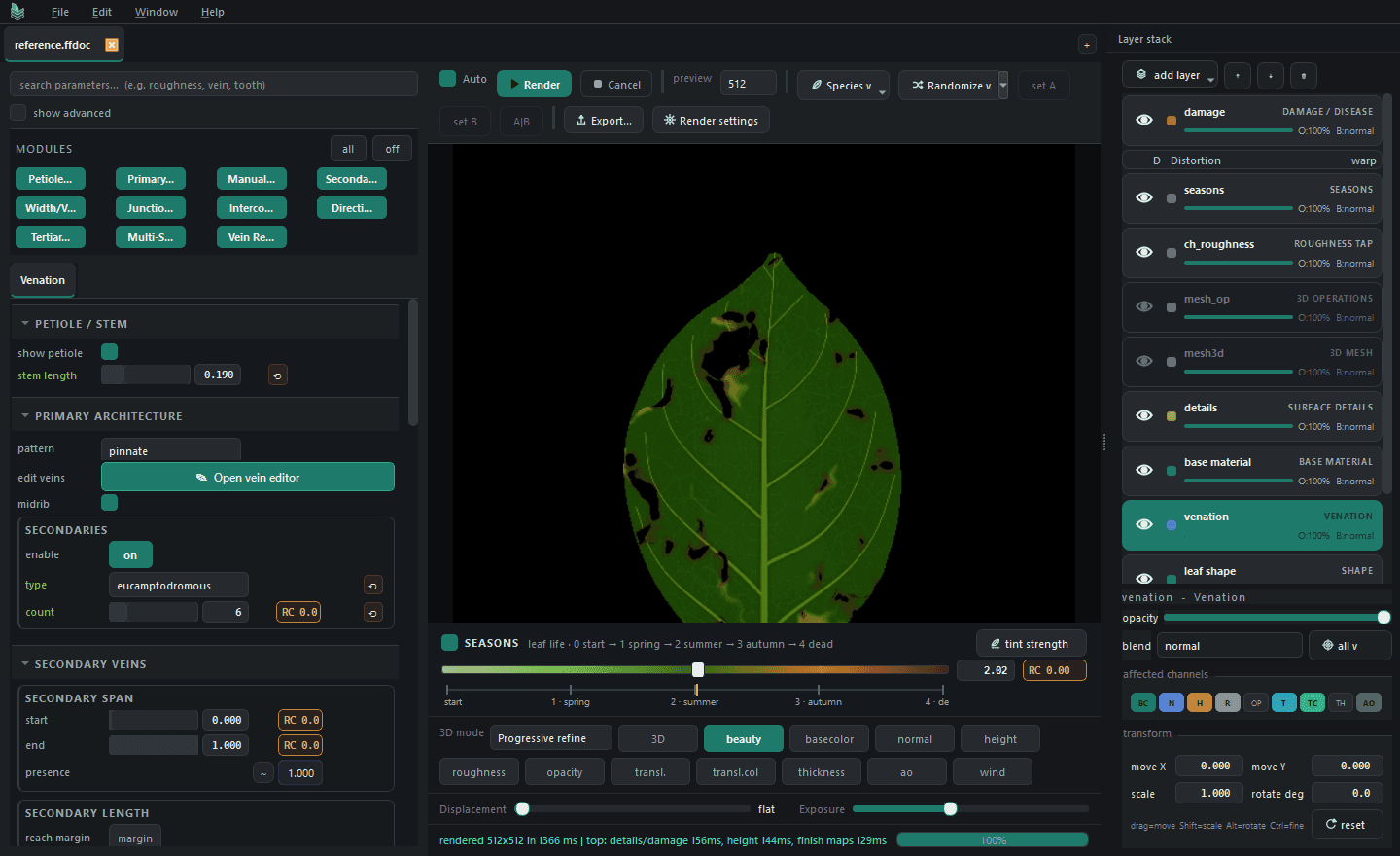
Choose a branching family and tune the relationship between midrib and lateral veins. Control order-specific width, taper, density, junction blending, and smaller branches independently, then move, branch, or redraw individual paths in the viewport.
VirdraLeaf Venation secondary capture

WHAT REMAINS EDITABLE / WHAT LEAVES THE DOCUMENT

Generated structure and hand-guided corrections stay together. Changes to the silhouette can continue to update the vein system. Venation can contribute to color, height, normal, translucency, masks, and final rendered structure.

Continue to materials

Continue

VirdraLeaf

A Windows desktop studio for procedural foliage.

Made by VirdraStudio

Product

Get release notes

Build updates, preset drops, export notes, and practical workflow guidance.

© 2026 VirdraStudio.