





VirdraLeaf
Tutorial
Public
By
VirdraStudio
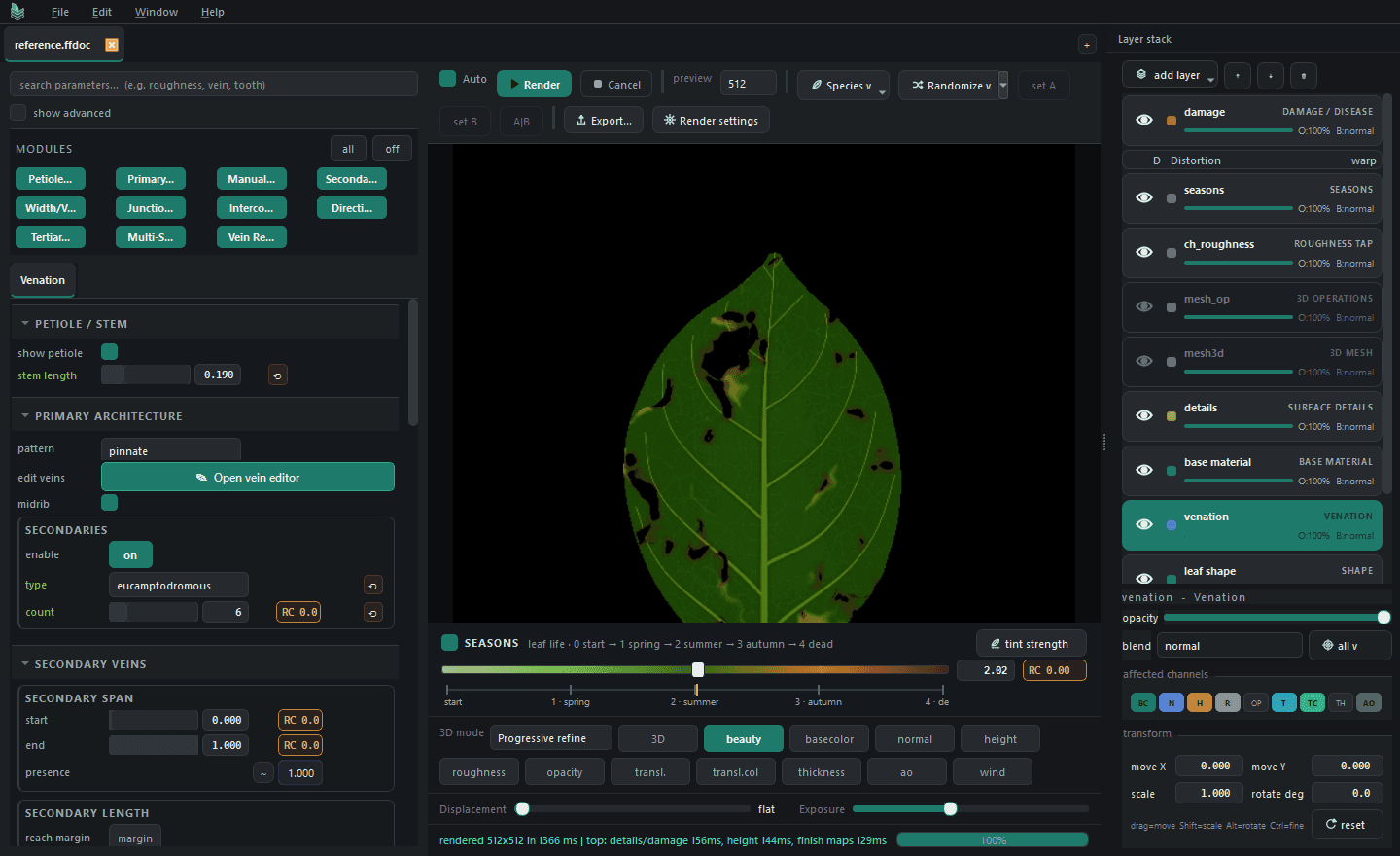
There is a particular sort of vein error that is easy to miss while a leaf is still large on screen. One secondary vein leaves the midrib at a slightly awkward angle, runs too close to its neighbour, and makes a dark little wedge near the tip. At working resolution it looks like harmless irregularity. Put the same leaf into a 512-pixel atlas cell and the two veins merge. In the normal map the wedge becomes a ridge. Under grazing light it is suddenly the first thing you see.
That is the point at which a procedural network needs editing. Not because it is imperfect, but because one imperfection has started to dominate the material. The distinction matters. If every uneven interval and bent branch is corrected, the leaf quickly acquires the tidy, synthetic look of a diagram.
Look at the leaf before opening the editor
Start with the whole network visible and resist the temptation to zoom straight into the problem. I usually check three views: the flat vein mask, base colour, and either height or normal. The mask shows the drawing clearly; base colour shows whether the line has become too conspicuous; relief shows what the same line will do once it catches light.
Then reduce the preview to something close to the intended texture footprint. This is where many apparent problems disappear and a few important ones reveal themselves. Fine tertiary branches that seemed busy at full size may settle into a useful texture. Two secondaries that looked safely separated may collapse into one heavy stroke. The delivery size, rather than the most flattering preview, should decide what gets touched.
It also helps to read the network by order. The primary vein establishes the long axis. Secondaries carry most of the visible rhythm. Tertiaries fill the spaces and soften the transition into surface detail. If the first two orders are unclear, adding or polishing fine branches will not rescue them.
Fix the offending vein, not the generator
Suppose the upper third of the leaf is working except for the crowded pair described above. A global spacing or angle change may separate that pair, but it will move every secondary that was already doing its job. The more economical edit is to open the vein editor, select the troublesome branch, and move the smallest number of points needed to restore a clean interval.
Generated veins remain generated until an edit is committed. In practice, a click lets you inspect the line; dragging past the small dead zone freezes that vein into an editable path. This is a useful safeguard because merely selecting a branch does not quietly change the document.
For a modest correction, move a control point or insert one on the line and adjust the bend. Keep the launch from the midrib plausible and give the branch enough space to taper before it reaches the margin. If the branch is fundamentally wrong, the Pencil tool is faster: draw a replacement stroke and let it resolve into a simplified spline. Smoothing controls how much of the hand movement survives. Too little can leave an untidy chain of points; too much can iron out the change you meant to make.
The Eraser is useful for a branch that has simply travelled too far. Drag from the end to shorten it, or cut through the middle when the line needs to be split. New strokes can be assigned as primary, secondary, or tertiary, so their role in the network is explicit rather than implied by their size on screen. Mirror is convenient for a genuinely paired correction, but I leave it off for most local repairs. Mirroring one good irregularity often creates another that is much easier to spot.
A worked correction near the tip
Take a pinnate leaf with a clean midrib and roughly even secondaries. The final two branches on the right side converge as they approach the margin. On the left, the spacing is fine.
First, select the upper of the two right-hand branches. Pull its outer control point a little toward the base, then soften the preceding handle so the line changes direction gradually. Do not move the point at the midrib unless the launch angle is the source of the problem. Check the normal channel. If the junction has developed a bump, ease the first segment rather than reducing vein relief globally.
Now view the leaf at final size. If the branches still merge, shortening the outer end is usually cleaner than pushing the whole path farther away. The margin needs some quiet space, particularly near the tip where several structures are already converging. If the edit makes the right side suspiciously orderly, put a little curvature back. The purpose was to remove a collision, not to make the network symmetrical.
At this stage, switch between the edited result and a saved version of the generated leaf. That comparison catches a common form of overwork. One correction becomes three, three become twelve, and the network loses the small changes in angle and interval that made it feel grown in the first place.
Judge width and path together
Path placement gets most of the attention because it is easy to point at, but the apparent spacing between veins also depends on width and taper. A branch can follow a sound route and still read as crowded because its distal half remains too heavy. Conversely, a thin line may tolerate a tighter interval without becoming a visual knot.
Make path changes first, then tune the profile. That order keeps the diagnosis clean. If route, width, and relief strength are all changed at once, it is difficult to tell which adjustment solved the problem. Near a junction, watch for a sudden gain in height where two profiles overlap. Near the margin, check that the vein settles into the lamina instead of ending as a blunt raised bar.
One network, several different material responses
A corrected vein path can feed several outputs, but it should not produce the same strength everywhere. A pale secondary may be quite visible in base colour and barely raised in the normal map. The midrib may need more width in thickness than it does in pigment. Fine tertiary veins can contribute to translucency or roughness while remaining too shallow to deserve a strong height response.
For the final edit pass, I keep one physical channel open beside the colour. A change that looks restrained in colour can become surprisingly loud in height. Backlighting can reveal the opposite problem: the primary structure reads in the front-lit material but disappears when viewed through the leaf because thickness and translucency are treating the lamina as uniform.
Know when to stop
I stop when the major hierarchy survives at the intended size, no branch creates an accidental focal point, and the physical channels agree with the drawing. The intervals can stay uneven. The two sides do not need to balance.
Save the edit in the source document rather than painting over the exported maps. If the silhouette, material, or export resolution changes later, the corrected path remains available to all of the dependent channels, while the untouched parts of the network continue to respond procedurally. A later note asking for a broader leaf or a lighter midrib can be handled in one maintained source instead of repaired across a folder of maps.
Published by VirdraStudio
Explore Venation
Get the next note first.
Release notes, working methods and previews, a few times a month. No noise.